
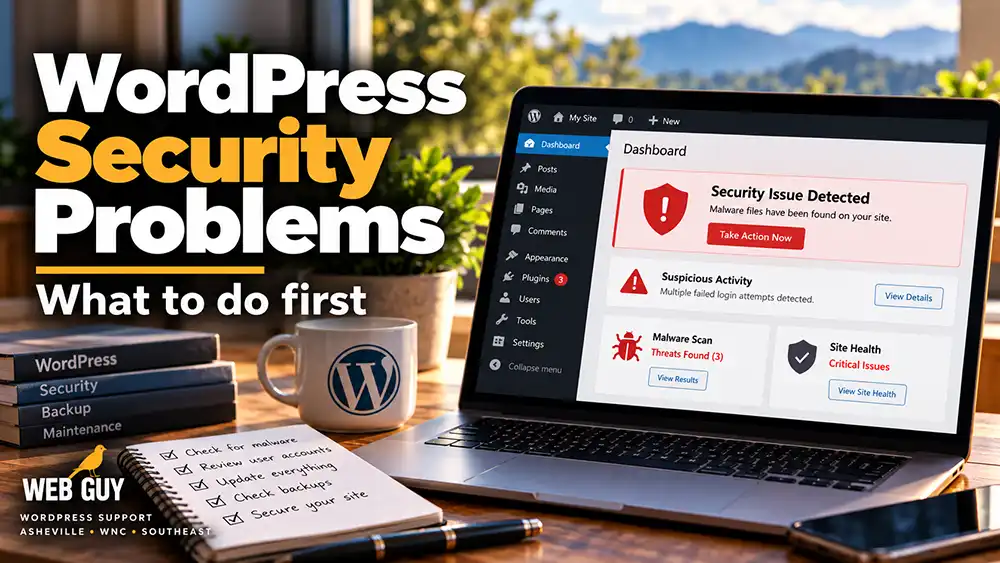
WordPress Security Problems: What to Do First
WordPress security problems can show up in a lot of different ways.
Maybe your site suddenly redirects visitors somewhere else. Maybe strange pages appear in Google. Maybe your hosting company sends you a malware warning. Maybe you cannot log in. Or maybe the site simply starts behaving differently and you cannot explain why.
Whatever the symptom, the important thing is to figure out what happened before randomly changing things.
A security problem does not automatically mean your entire website has been destroyed. But the longer a compromised site remains online, the more damage it can potentially cause.
Common Signs That a WordPress Site May Have Been Compromised
Some security problems are obvious. Others are not.
Things I would take seriously include:
- Unexpected redirects
- New administrator accounts you did not create
- Spam pages appearing in Google
- Strange files or folders on the server
- Security warnings from your hosting company
- A sudden drop in website performance
- Visitors being sent to suspicious websites
- WordPress files changing unexpectedly
- Plugins or themes appearing that you did not install
- Your site being flagged by browsers or search engines
One strange symptom does not always mean malware, but it is worth investigating.
Why WordPress Websites Get Hacked
WordPress itself is not automatically insecure.
Problems usually come from the larger ecosystem around the website.
Outdated WordPress, Plugins, or Themes
Software vulnerabilities are discovered all the time.
When WordPress core, plugins, or themes are left outdated, known vulnerabilities may remain exposed.
That is one reason regular maintenance matters.
Weak or Reused Passwords
A weak password can make an otherwise secure site vulnerable.
Passwords should be long, unique, and not reused across multiple websites or services.
If someone gains access to an email account or another website using the same password, that password may also be tried against WordPress.
Abandoned or Poorly Maintained Plugins
Plugins add tremendous functionality to WordPress, but they also add code.
A plugin that is no longer actively maintained may eventually become a security risk.
That is why I pay attention not only to whether a plugin works, but also to whether it is still supported and updated.
Too Many Administrator Accounts
Every administrator account is another possible point of entry.
Old employee accounts, former developers, agencies, and unused accounts should be reviewed periodically.
If someone no longer needs administrator access, remove it.
Insecure Hosting or Server Configuration
Some security problems occur outside WordPress itself.
Hosting configuration, outdated server software, incorrect file permissions, compromised FTP accounts, or other server-level issues can all affect a WordPress website.
Malware Already Hiding on the Site
Sometimes a website has been compromised for weeks or months before anyone notices.
Attackers may hide malicious code inside legitimate files, create backdoors, or add scripts that allow them to regain access after the visible problem has been removed.
That is why deleting one suspicious file is not always enough.
What I Check First When a WordPress Site Looks Hacked
When I investigate a possible WordPress security problem, I want to understand what changed.
Did the problem begin after an update?
Are unfamiliar administrator accounts present?
Have WordPress core files been modified?
Are plugins or themes outdated?
Are there suspicious files in directories where they do not belong?
Is malware being detected by the host or a security scanner?
Are there unexpected database entries?
Is the hosting account itself compromised?
Are there working backups from before the problem started?
The goal is not simply to make the visible symptom disappear.
The goal is to determine how the site was compromised, remove the problem, and reduce the chance of it happening again.
What Should You Do If You Think Your WordPress Site Has Been Hacked?
First, avoid making dozens of changes at once.
If you start deleting files, replacing plugins, changing passwords, and installing security tools all at the same time, you may make it harder to understand what actually happened.
A few sensible first steps are:
Make sure you have a complete backup of the current site, even if you suspect it is compromised.
Change important passwords, including WordPress administrator, hosting, FTP/SFTP, database, and related email accounts when appropriate.
Review administrator accounts.
Check whether WordPress core, plugins, and themes are current.
Contact your hosting provider if they have reported malware or suspicious activity.
Do not restore an old backup until you know whether that backup is clean.
And if the website handles customer data, orders, memberships, or sensitive information, take the situation seriously.
Backups Are Part of Security
A backup does not stop someone from attacking a website.
What it does provide is a clean recovery point when something goes wrong.
A useful WordPress backup strategy should include:
Regular automated backups.
Copies stored somewhere other than the live website server.
Enough backup history to go back before a problem started.
And a way to actually restore the website when needed.
A backup that has never been tested is better than nothing, but knowing that a site can actually be restored is much more valuable.
Security Plugins Help, but They Are Not the Whole Answer
WordPress security plugins can be useful.
They can block login attempts, detect suspicious files, scan for malware, monitor changes, and provide other protections.
But installing a security plugin does not make a website invulnerable.
Security also depends on updates, backups, hosting, user accounts, passwords, plugins, themes, and how the entire WordPress installation is managed.
There is no single “make WordPress secure” button.
When Should You Get Professional Help?
It may be time to get help if:
Your website is redirecting visitors.
Google or your browser is showing a security warning.
Your host says the site contains malware.
You cannot remove suspicious files.
Malware keeps returning after cleanup.
Unknown administrator accounts keep appearing.
The site has been blacklisted.
You cannot determine how the attacker gained access.
Or you simply do not want to risk making the problem worse.
Need Help With WordPress Security?
At Web Guy, I work with WordPress websites throughout Asheville, Western North Carolina, Upstate South Carolina, and beyond.
I help businesses troubleshoot compromised websites, identify security problems, clean up WordPress installations, maintain backups, and reduce the risk of future problems.
If your WordPress website has been hacked, flagged, redirected, or is simply acting suspiciously, get in touch and I’ll take a look.